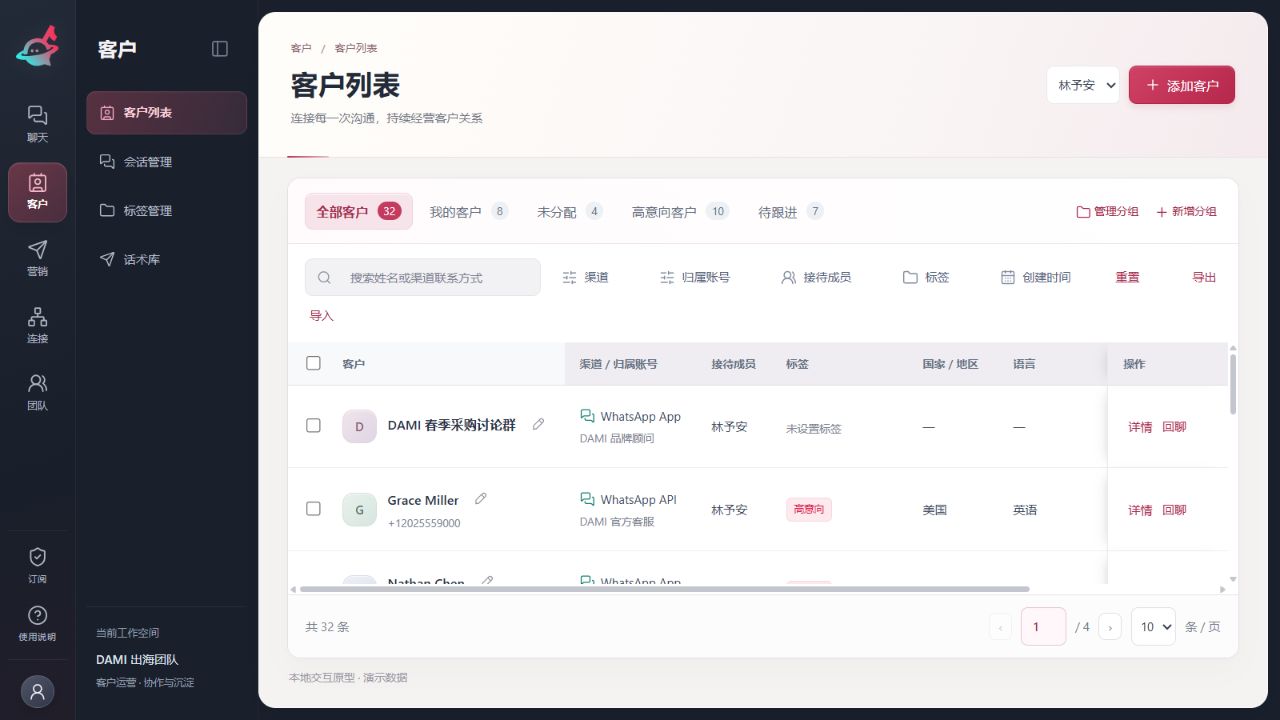

Find details together
Keep customer source, contact details and owner in one list.
Bring profiles, tags, notes and conversation history together so every teammate can follow up with context.

Open a customer to see details, tags, notes and prior conversations.
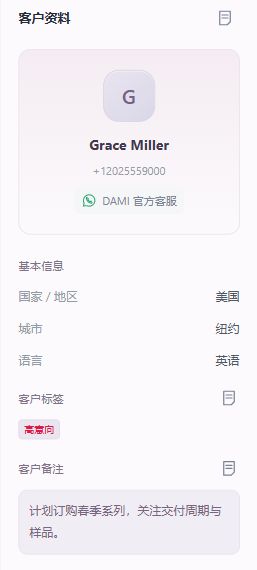 Profile · Tags · Notes
Keep customer source, contact details and owner in one list.

Use tags for interests, needs and follow-up status.

The next teammate can see earlier conversations.

Keep source, preferences and follow-up notes so the next conversation begins with context.
Build dynamic groups from tags and other conditions to find new customers or customers ready for follow-up.

The next teammate can review prior conversations and important notes without asking the customer to start over.

Answers about customer management in Talkkite.

Add customers in the customer list or use the product import flow to organize existing customer records.
Tags record customer attributes. Dynamic groups find customers who match saved conditions.
Customer records connect to conversation history so teammates can review prior contact.
See how Talkkite fits your customer workflow.
